Daggerfall Online opens a much larger expedition than a single puzzle chamber. This independent browser RPG asks you to prepare original game data, build a character, and learn a first-person world at your own pace. Use this archive entry as a field guide for the first session, not as a promise of an instant arcade round.
If the embedded client is blocked, the source link above opens the original website. Original game files are required; this page does not supply them.
Field note 01
Provision the expedition
Before pressing Play, decide whether you have time to complete setup without rushing. Daggerfall Online is a browser doorway into a substantial role-playing game, not a small level that reveals every rule on one screen. Your first successful session might consist of importing files, finishing character creation, and finding a safe place to stop. That is a sensible objective. Keep the surrounding guide available while the game loads, and read the actual prompt before acting. Some screens belong to the client, while others belong to the original game interface. If the sequence differs from a screenshot, identify the task being requested rather than searching for an identical picture. This page supplies the frame and preparation notes; the externally hosted client controls its own loading, saves, and online services. Treat those as separate systems when diagnosing a problem.
Field note 02
Bring the right archive
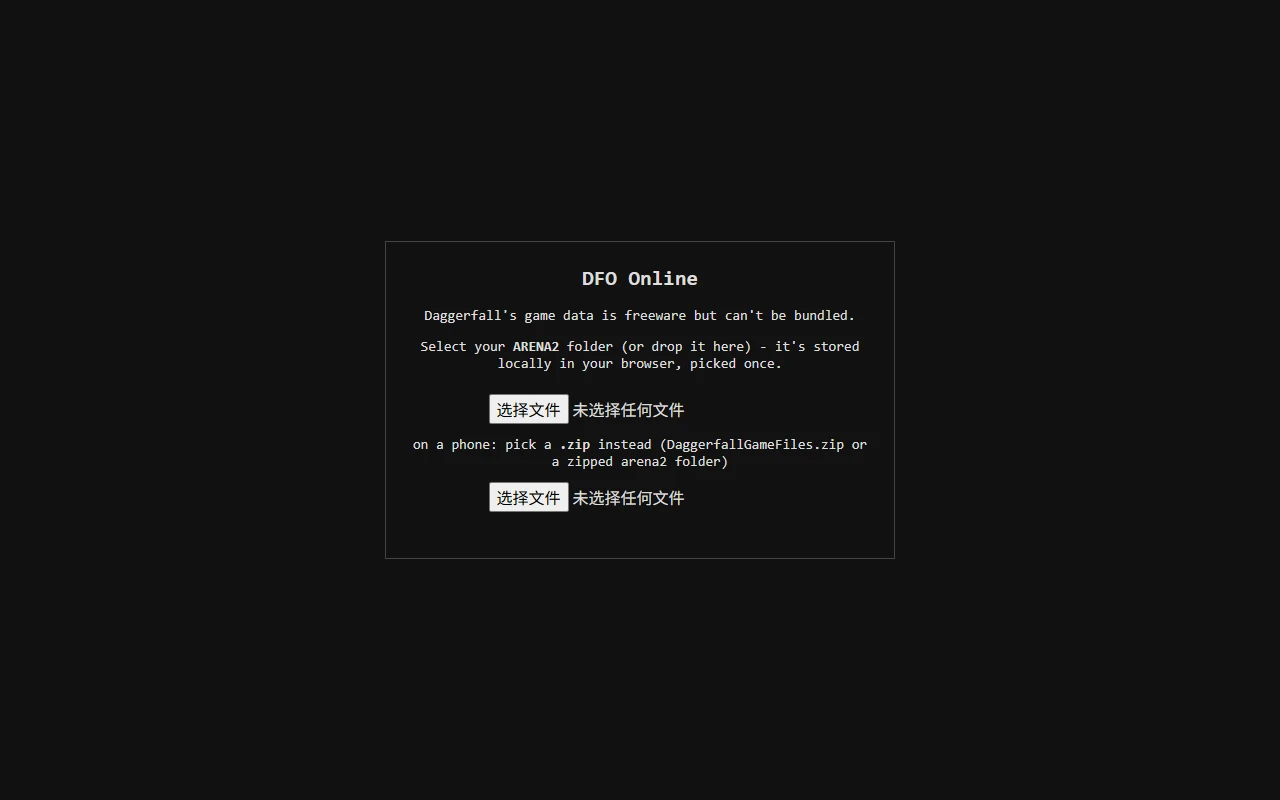
The client requires original Daggerfall game data. The important folder is ARENA2, and it should remain complete rather than becoming a collection of individually renamed files. If you already have a legitimate copy, locate the data before opening the importer. Keep the original copy untouched so a failed import does not leave you without a clean source. The supplied import screen distinguishes a folder picker from a ZIP picker. Use a complete directory when folder selection is supported, or an appropriate archive when that is the more practical route on your device. Selecting a launcher or an unrelated installer will not satisfy a request for game assets. Importing data is a preparation step; it does not create a character or guarantee that progress is saved. Allow the transfer and processing to finish before making a second attempt.
Field note 03
Read the instruments
The importer screenshot is useful because it shows the two available selection routes without pretending that every browser uses identical button labels. Your system language can change file-picker text. Directory selection may also ask permission to read many files, which is different from being asked to install unrelated software. Confirm that the chosen directory is the one you intended. During processing, give the browser time and avoid repeatedly reloading the frame. If the client requests data again on another visit, consider whether you changed profiles, used a private window, cleared site data, or entered through a different embedding website. Storage can be partitioned by browser context. Diagnose that change before assuming the original folder is corrupt. Preserve anything important before using a reset or cleanup option.
Daggerfall Online importer with separate ARENA2 folder and ZIP controls. Reference interface; browser labels and client versions can differ.
Field note 04
Choose a character you understand
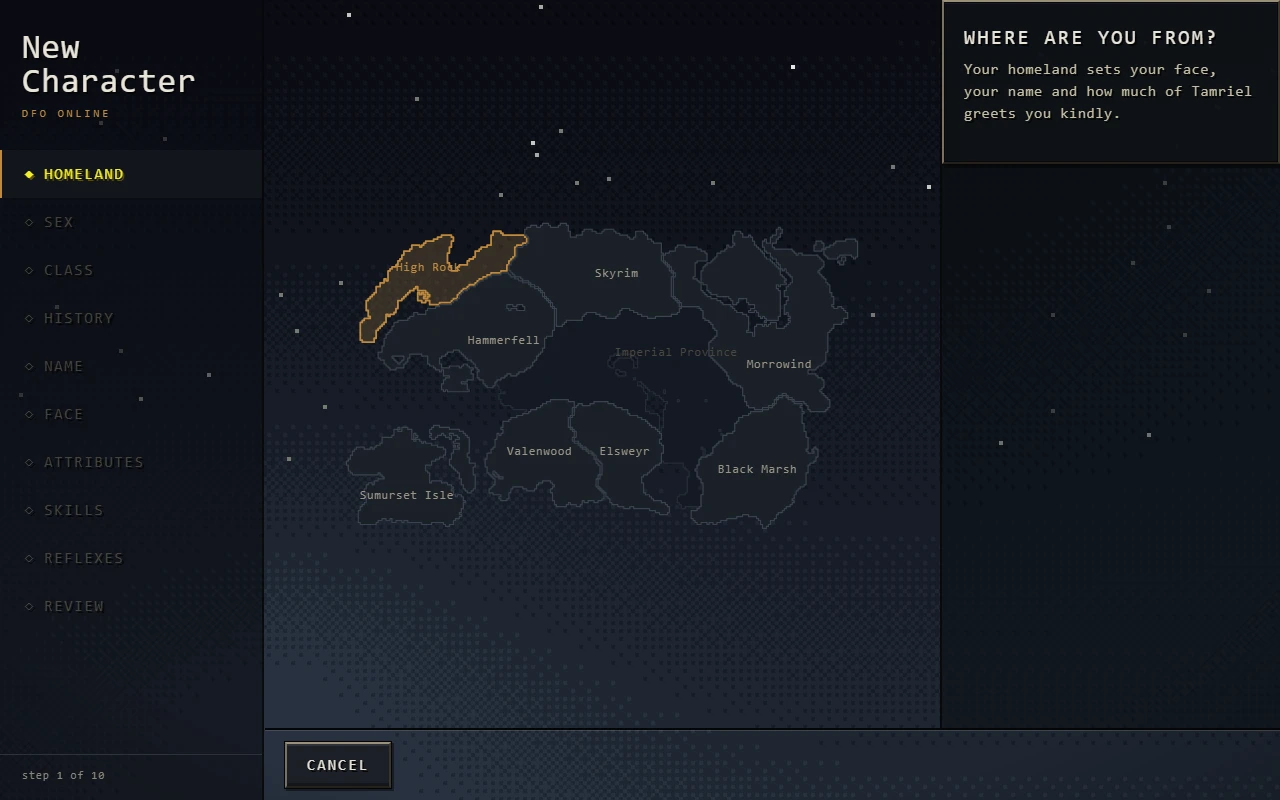
Character creation is part of the adventure rather than a form to skip. Read the current screen, compare the choices presented, and choose a style you can explain to yourself. An unfamiliar collection of bonuses is less useful during a first attempt than a straightforward plan for movement, combat, and survival. The Homeland image illustrates one stage of creation; it is not the final confirmation that a playable character exists. Continue until the client actually places you in the world. If your intention is online play, use the designated online-character flow. The source guide describes eligibility checks when bringing an offline character online, so do not assume every saved character qualifies. Keep an existing character safe while experimenting with a new one, and do not try to bypass a refusal by changing filenames.
Daggerfall character creation showing the Homeland selection screen. Reference interface; browser labels and client versions can differ.
Field note 05
Measure movement before combat
A keyboard and mouse provide a practical starting point for learning this first-person interface. The documented default movement uses WASD, with Shift to run and Space to jump. Click inside the game when it needs focus: a key sent to the surrounding website is not evidence that the control is broken. Practice turning, stopping, and approaching a doorway before combining those movements with an attack. Under the documented default setup, Z draws the weapon and right-button mouse gestures produce swings. That means holding and moving the mouse matters; an isolated click may not do what you expect. Your active bindings can differ if settings have been changed. Check the live controls panel when an action disagrees with these notes. Keep enough space around your hand to make deliberate gestures rather than frantic repeated inputs.
Field note 06
Map the chamber you can actually see
The opening dungeon is an exercise in orientation. Notice a distinctive doorway, a change in floor height, or a room you can recognise on the way back. Move between identifiable points instead of choosing several unexplored turns in succession. A local map supports that observation, but it does not justify inventing an exit route from a partially explored screenshot. When uncertain, return to the last junction you can describe and test a different direction. Distinguish the local map from the wider travel view, since they answer different questions. Watching a regional map will not explain which nearby passage you have already crossed. Also pay attention to the world while a panel is open. In online play, do not assume a menu pauses danger. Reach a safer position before spending time reading.
Field note 07
Separate four multiplayer checkpoints
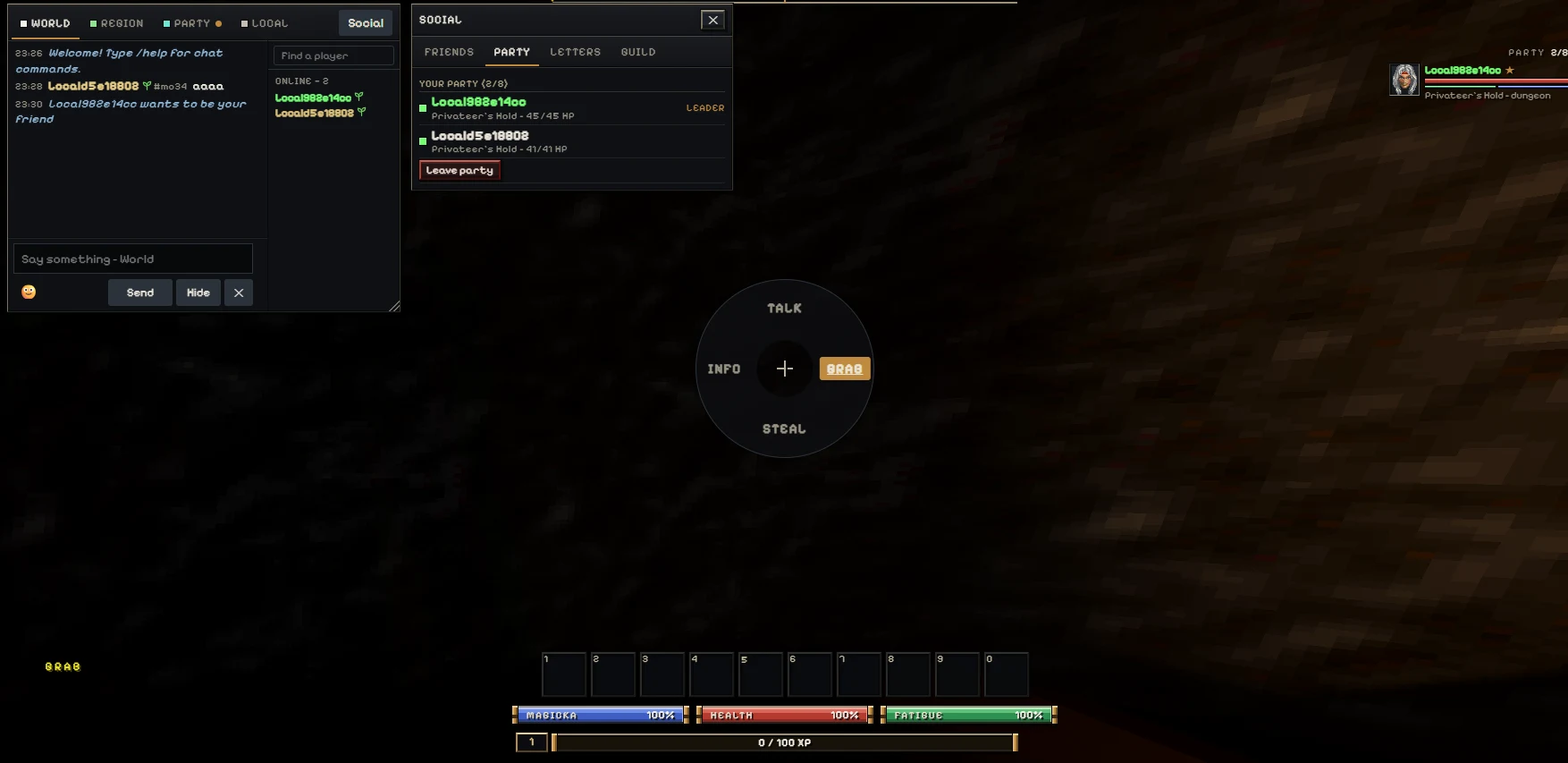
Online play becomes easier to reason about when you divide it into connection, communication, membership, and location. First confirm that each player has entered the intended service with their own account and character. Next exchange a short chat message and a reply. Then use the party invitation interface and confirm acceptance. Finally arrange a location where the characters should meet. Success at one stage does not prove the next stage succeeded. The source notes that the starting Privateer's Hold introduction is solo, so a party list does not make that introductory space shared. Leave the introduction independently and compare an outdoor landmark. The party screenshot documents the interface, not the availability of every future server session. If a step fails, record which checkpoint failed instead of changing every setting at once.
Daggerfall Online party panel showing two members. Reference interface; browser labels and client versions can differ.
Field note 08
Protect progress before housekeeping
Data files, a local character, and an account are different things. Keeping ARENA2 on your disk does not automatically preserve a save, and seeing an account name does not prove that your latest actions were stored. Use the client's intended save and exit controls, and read any status or error message they produce. Avoid clearing browser storage as the first response to a slow load. That action may remove data you still need. A safer troubleshooting sequence starts with checking the visible loading state, waiting, and comparing the source website when the embedded context behaves differently. Keep the original game files and any supported save exports separate from temporary experiments. A screenshot of a character sheet is useful evidence for a report, but it is not a replacement for a recoverable save.
Field note 09
Make room for the interface
Use the fullscreen control if your browser permits it and the extra space helps you read maps or inventory. Fullscreen changes the surrounding viewport, not the rules of the game. Keep a familiar way to return to the page, such as the browser's fullscreen exit. Touch controls are present in the source project, but that does not mean every phone offers the same experience as a desktop. Small screens make detailed panels and file import more demanding. Landscape orientation may help; try it before committing to a long session. If pointer input appears unresponsive, check focus and active overlays before assuming the game is frozen. When a loading problem persists, note the device, browser, and exact stage. A precise account of the failed step is much more useful than repeatedly pressing the launch button.
Field note 10
Recognise the hosting boundary
This archive embeds a client hosted by Daggerfall Online. A working guide and visible cover do not guarantee that an external frame can load. The game host checks permitted embedding sites, and a deployment with an older whitelist may show an access guide instead of the client. The source-site link is the appropriate alternative while that configuration is checked. Browser network filters can also interfere, but do not disable protections blindly or install software offered by an unrelated advertisement. Read the actual error and keep the address in view. An embedded session may use a different storage context from a direct visit, so moving between them should not be treated as a guaranteed save transfer. These boundaries explain why a page can look complete while a particular browser still needs setup.
Field note 11
Choose the next expedition deliberately
Once the first session is stable, set a limited objective for the next one. You might learn a control panel, practise navigating without losing your last known junction, or organise a meeting with a friend after the introduction. Do not combine all three goals before you understand how to stop safely. Daggerfall rewards a longer attention span than a compact puzzle or physics round. That difference is why it sits here as an optional adventure rather than a replacement for Temple of the Jackal. Return to the shorter games when you want a quick challenge, and return to this world when you have time to make decisions carefully. A repeatable setup routine removes friction from later visits. The aim is to spend more time exploring and less time guessing which preparation step was missed.
Practical questions
Before you enter the world
01Is this the same kind of puzzle as Temple of the Jackal?+
No. Daggerfall Online is a first-person fantasy RPG with character creation, exploration, and a longer setup. It is an optional adventure in the game archive.
02What files does the browser game require?+
It requires the original Daggerfall ARENA2 data. Use the complete folder or a suitable ZIP through the matching importer; this page does not supply those files.
03Why does my weapon not swing when I click?+
The documented defaults use Z to draw the weapon and right-button mouse movement for gesture attacks. Check the active bindings if you have changed them.
04Can I meet a party member in the starting dungeon?+
The source guide identifies the introductory Privateer's Hold space as solo. Arrange to meet after both players reach the same shared outdoor location.
05Does the map pause online combat?+
Do not rely on it. Move to a safe place before studying menus, maps, or inventory.
06Will the source website automatically use my embedded save?+
Not necessarily. Browser storage can be partitioned by site context. Check the client's save and account behaviour before switching.
07Why does the iframe show an access notice?+
The host permits only specific parent domains. An outdated deployment or missing permitted source information can block the frame. Use the source website link while the hosting configuration is checked.
08Is a phone the best way to start?+
A desktop keyboard and mouse are a practical first choice for importing data and reading detailed panels. Touch controls do not guarantee that all devices handle every step equally well.