CONSTRUCTION ARCHIVE
The builder’s archive: from ingredients to a working camp
BLUEPRINT 01
Read the project before gathering materials
Asciilands Solo suits a builder who enjoys turning a small collection of parts into a visible result. The central problem is straightforward: choose a structure, prepare its ingredients, satisfy any station requirement and find a valid place for it. This guide follows that order so you can identify which condition is missing.
The game embedded here is Quietwater, an independent single-player development edition. It is separate from the original Asciilands multiplayer project. Its local building and recipe rules are the subject of this archive; do not expect a shared settlement, player trading or every feature described on the original game's page.
Begin with one practical construction goal. A workbench is useful because it supports basic tools, while a foundation is primarily a first piece of your layout. Writing down the result you want prevents a common mistake: converting all available wood into one ingredient before checking whether the next recipe needs raw logs instead.
BLUEPRINT 02
Blueprint A: the four-plank workbench
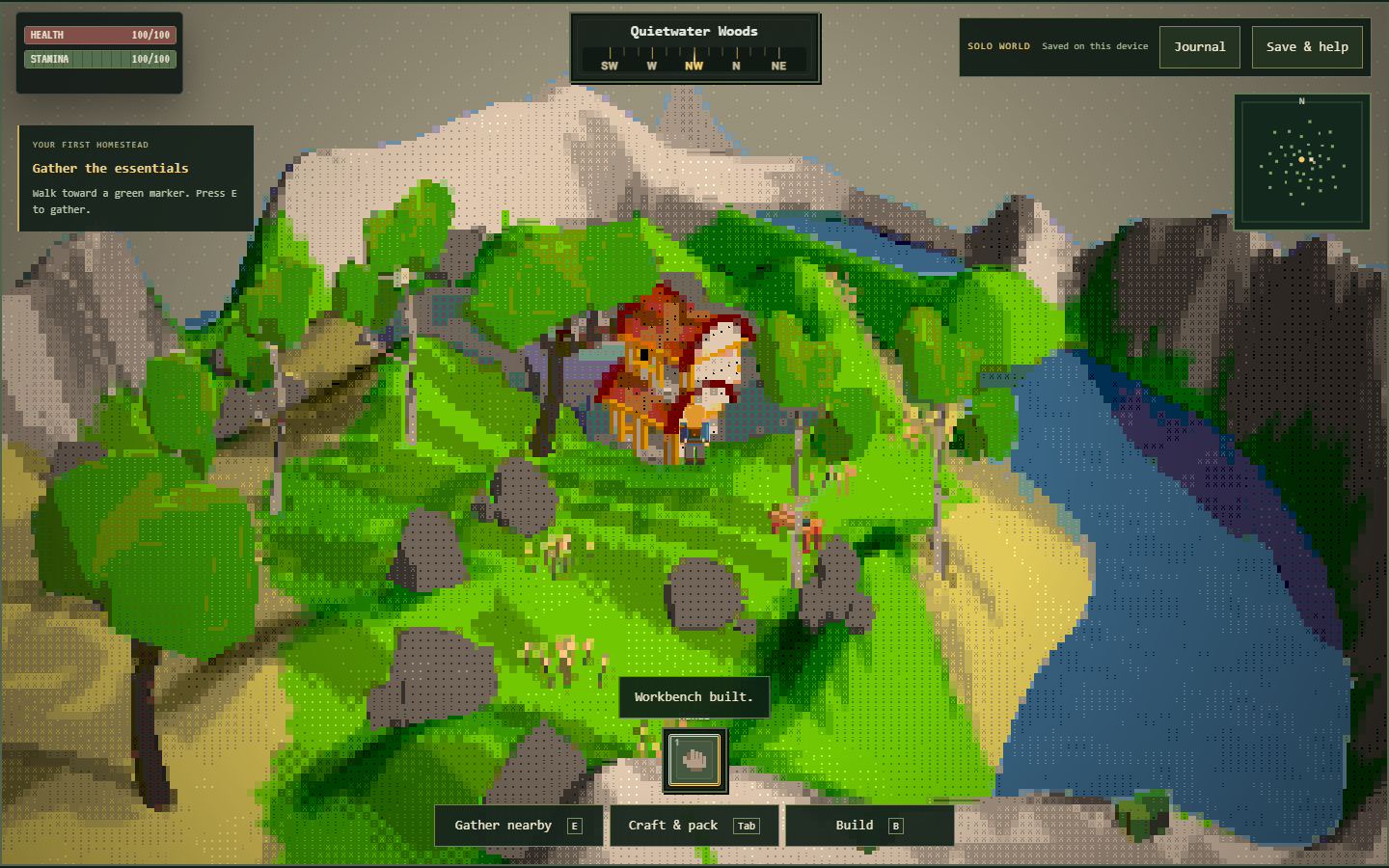
The workbench requires four planks. Each log converts into two planks, so the raw wood requirement is two logs. Gather the logs, open the pack with Tab, craft the planks, then enter building with B. Place the station on clear ground close enough to approach comfortably.
This sequence contains two different operations: crafting ingredients and placing a structure. Completing the first operation does not complete the second. If the bench has not been placed, its station requirement cannot be satisfied by the planks sitting in your inventory, even though you already paid attention to the correct recipe.
Keep the first bench easy to find. It is the anchor for your early tool chain, and you will need to stand near it when crafting those tools. Leave usable space around it rather than immediately surrounding it with walls. Good access makes subsequent recipe checks easier and leaves room for revisions to the layout.
BLUEPRINT 03
Blueprint B: sticks, rope and equipped tools
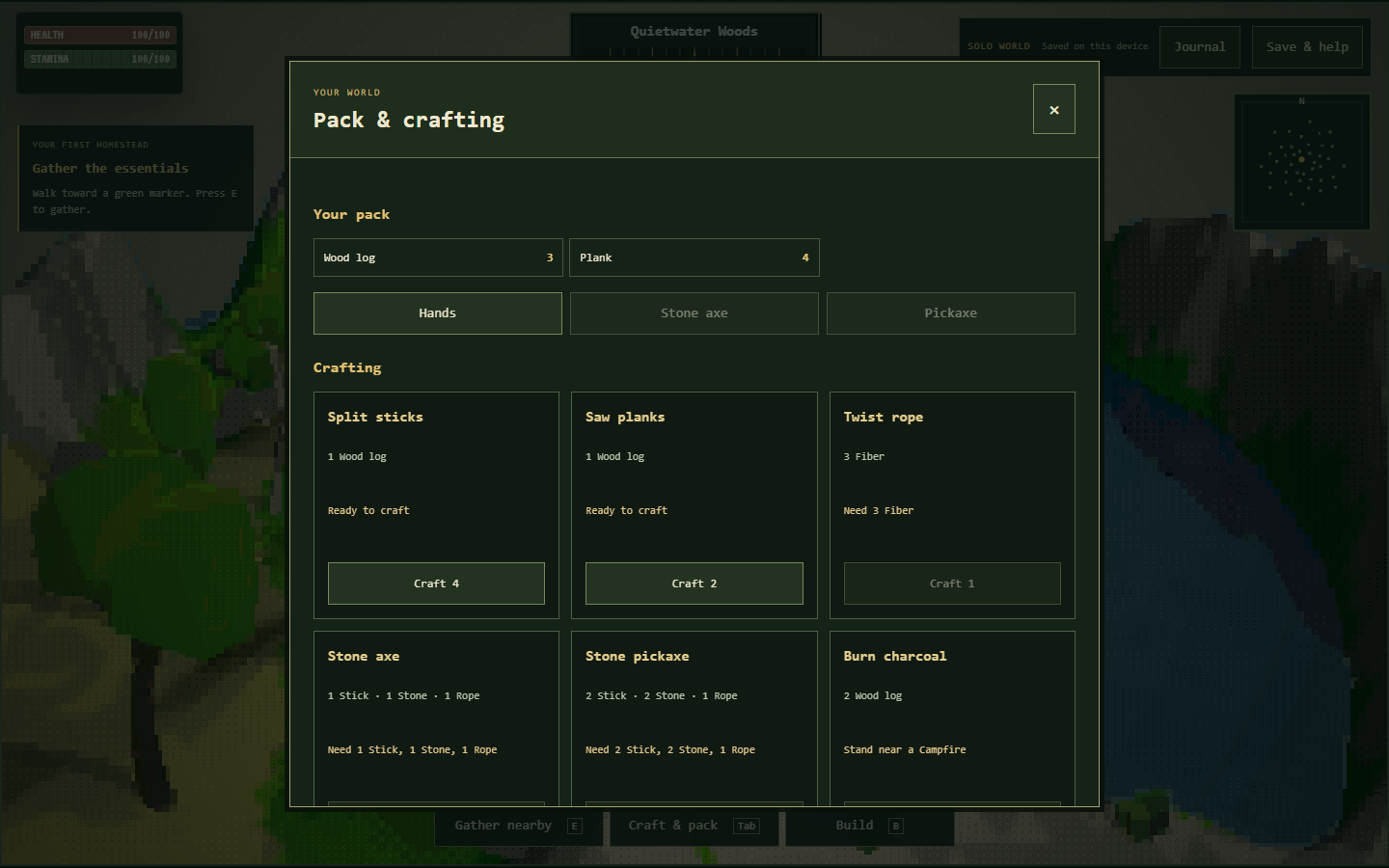
One log produces four sticks, while three fiber produce one rope. A stone axe then uses one stick, one stone and one rope. A stone pickaxe uses two sticks, two stone and one rope. Both finished tools require you to be near the workbench during crafting.
Count the recipe outputs correctly. A single stick conversion supplies enough sticks for one axe and one pickaxe, with one remaining, but you still need two separate ropes and three stone for those two tools. The rope requirements therefore represent six fiber when you start without any crafted rope in the pack.
Equip each tool when you intend to use it. An axe improves wood gathering and a pickaxe improves stone gathering; the pickaxe is also required for iron ore. If the tool is merely carried, the expected effect may not occur. Inspect equipment before changing the gathering route or rebuilding a station that already works.
BLUEPRINT 04
Blueprint C: a campfire production chain
A campfire takes three logs and four stone. Unlike the workbench, it does not use planks for that cost, so keep some wood unconverted. Place it where you can stand nearby without being crowded by other objects. The resulting station supports charcoal, smelting and cooked fish recipes.
To make one iron ingot, prepare three iron ore and one charcoal. Charcoal itself requires two logs at the campfire. This gives you a dependency chain: a workbench supports the pickaxe, the equipped pickaxe permits ore gathering, and the campfire converts the ore together with charcoal into the final output.
Do not infer additional systems from the presence of familiar ingredients. This edition does not provide a full weapon progression tree or a hunger system. Cooked fish, made from one fish and one log at the campfire, is a crafting output. Its recipe should not be presented as proof that you must eat to survive.
BLUEPRINT 05
Plan the footprint before adding walls
The construction pieces have separate costs: four planks for a foundation, two for a floor, three for a wall, three for a doorway and four for a roof. Decide which pieces you actually want before totaling a project. A general idea such as a small house is not a single fixed-cost recipe.
Start with a limited footprint, place one piece, then inspect its position before repeating the pattern. The world checks placement spacing and distance, so a plan that looks plausible on paper may need adjustment on the ground. Keep circulation around the workbench and campfire visible as the arrangement develops.
A doorway and a wall use the same number of planks, but they express different visual choices in your layout. The building system should be judged by what the current game lets you place, not by assumptions about structural engineering or shelter statistics. Use the scene itself to assess whether the result is clear and accessible.
BLUEPRINT 06
Keep raw materials and finished parts separate
The camp structure uses ten logs and two rope. Producing those ropes from scratch adds six fiber to your raw-material list. This is a different purchase from a collection of plank-based wall pieces. When planning both, separate the logs reserved for the camp from the logs you intend to convert.
The decorative chest uses six planks, equivalent to three logs if you begin with no planks. It does not provide functional storage in this edition. Place it as a furnishing if it improves the scene, but do not budget for it as a solution to an imagined inventory-capacity upgrade.
The recipe calculator above helps total supported structures in small quantities. It is deliberately a planning tool: it does not read the live pack or execute construction. Compare its output with your inventory and adjust your collection list. The checklist likewise records your own preparation, rather than sending completed tasks to the game.
BLUEPRINT 07
Diagnose a blocked action in the right order
First inspect the requested materials. Then check whether the recipe needs a station and whether you are standing near the correct one. Finally, for a build, check the proposed location. These are separate conditions, and meeting two of them does not cancel the third. Read the game's feedback before collecting extra supplies.
Resource collection has its own conditions. Press E near a real resource marker, not simply an ASCII decoration in the scenery. A node can be temporarily depleted and replenish during active play. Iron additionally requires an equipped pickaxe. Distinguishing these cases prevents an unnecessary restart when a normal prerequisite explains the result.
If keyboard controls appear to stop, close an interface with Escape and click back into the game. The surrounding webpage also has interactive controls, so focus matters. J opens the game journal, while the article's checklist and recipe selector remain external aids. They are useful together, but they do not share a single control state.
BLUEPRINT 08
Revise the layout without starting over
Failed placement does not consume the structure's materials. If the location is rejected, move to a nearby clear patch and try again after reading the reason. Avoid stacking repeated attempts at exactly the same position when the issue is spacing, reach or the world's placement boundary.
For a structure that was successfully placed, the dismantle action can return its construction materials when the target is valid and nearby. Verify the object you are acting on before using it. This provides a way to revise a compact camp without assuming that every early position must remain permanent.
Make one alteration at a time and inspect the result. Moving several objects in a rush can make it harder to remember which materials belong to which plan. A simple loop of place, observe and revise is especially useful in an ASCII landscape, where the visual relationship between adjacent pieces takes a little practice to read.
BLUEPRINT 09
Preserve the blueprint and the actual world
The browser stores your world locally, and Save & help offers a manual save action alongside backup tools. Check whether the save succeeds. Local storage is convenient for returning to a project, but clearing browser data or encountering storage restrictions can affect it. A finished-looking scene is not itself a backup.
Export a JSON file when a layout reaches a useful milestone. Keep the file outside the browser's storage so that you can restore that version deliberately. Before importing a different world, export the current one if you want to preserve it; importing replaces the active world after validation and confirmation.
Use one active tab while building. An older tab may become read-only when another tab changes the world, helping prevent conflicting saves. Direct and embedded views can also expose separate storage contexts. If you move between them, or switch devices, transfer an exported backup rather than assuming that matching game addresses guarantee matching local state.
BLUEPRINT 10
Select a manageable next construction exercise
For a first exercise, build a workbench and craft one equipped tool. For a second, add a campfire and follow the charcoal recipe. For a layout exercise, prepare a small batch of planks and compare a foundation, a wall and a doorway before deciding what else the scene needs.
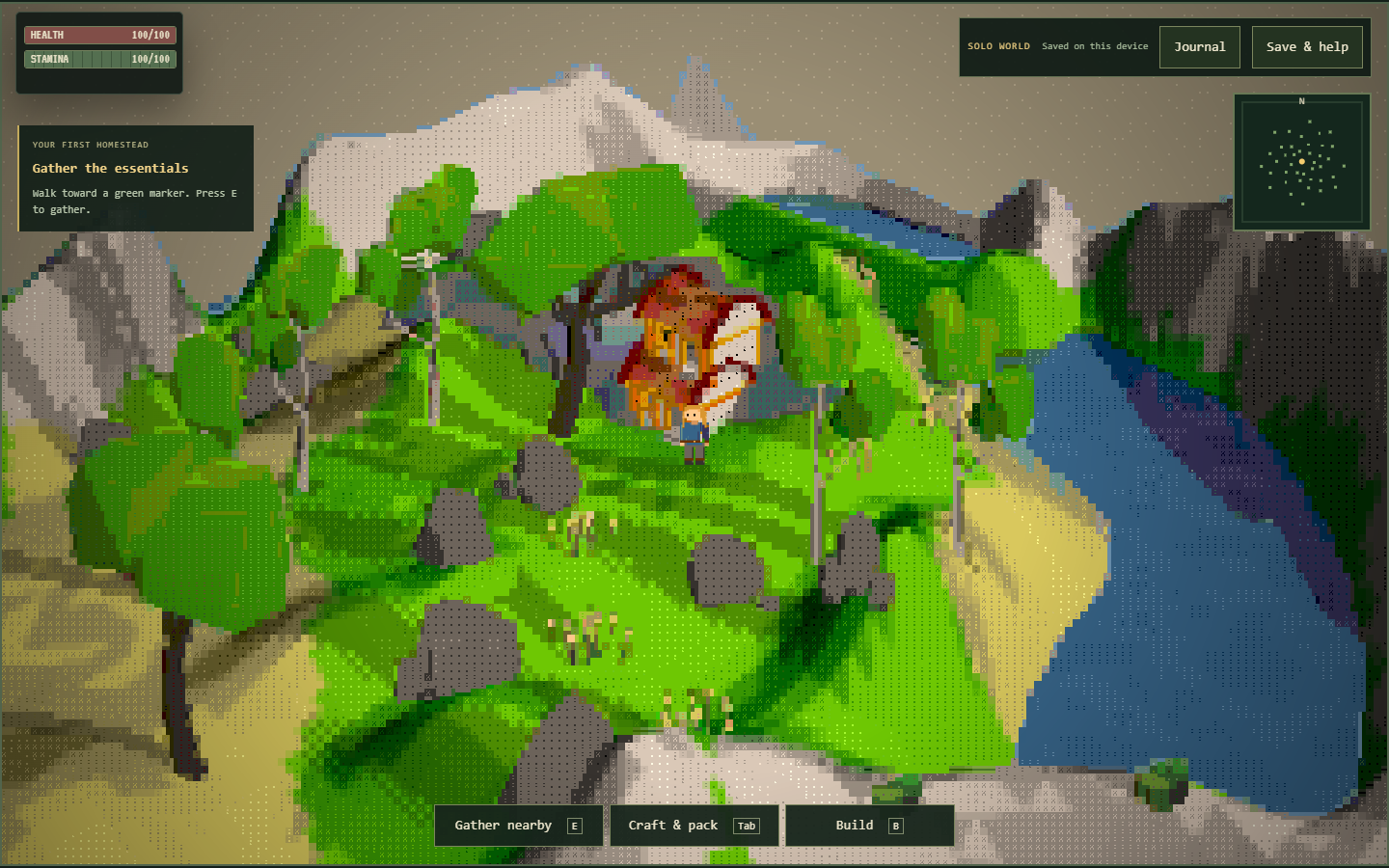
The screenshots on this page show the actual hosted solo interface and example building views. They are references for recognizing controls and materials, not a requirement that your world reproduce the same arrangement. Switch between the illustrated states above whenever you want to compare gathering, crafting and placement before acting.
Finish by checking your save and exporting a milestone copy. The Play More menu and shared cards offer other games when you want a different puzzle or pace, but their progress is separate. A successful building session leaves both a readable camp in the world and a recoverable copy of the work you chose to keep.
Builder questions
How many logs make the first workbench?
Two logs produce four planks, the workbench cost. Craft the planks and then place the bench in the world.
Why does a recipe still ask for a station?
A station must be placed and nearby. Carrying its ingredients, or standing far from the finished station, does not meet that condition.
Can one stick batch supply both basic tools?
Yes. One log makes four sticks; an axe and pickaxe together use three. You still need the separate stone and rope costs for both tools.
What does one iron ingot require?
Three iron ore and one charcoal at a nearby campfire. Charcoal uses two logs, and collecting the ore requires an equipped pickaxe.
Are walls and doorways the same price?
Each costs three planks. Their visual roles differ, so choose the piece that suits the layout you are making.
Will the decorative chest hold my materials?
No. It costs six planks and is a furnishing in this edition, without functional inventory storage.
Why is a build rejected despite enough ingredients?
Placement also depends on distance, spacing and world boundaries. Read the feedback and try clear ground closer to the character.
Can I revise a completed arrangement?
Valid nearby structures can be dismantled to return their construction materials. Check the intended target before acting.
How should I preserve a finished layout?
Check the manual save result, then export a JSON backup. Export the current world before importing another because importing replaces active progress.